Heat Simulation
A downloadable simulation for Windows
Heat transfer you can see. Interactive experiments for classroom demonstrations, designed for science teachers. Change the setup, switch between Normal and Thermal views, and follow temperatures as the experiment evolves.
Five working experiments
All five scenes below are included in the current download. Other menu cards are marked Coming Soon and are not yet playable.
These clips are recordings from the running application. They loop with condensed playback; use the on-screen simulation clock for simulated time. Click an animation to view it at full size.
1.1 — Hot meets cold
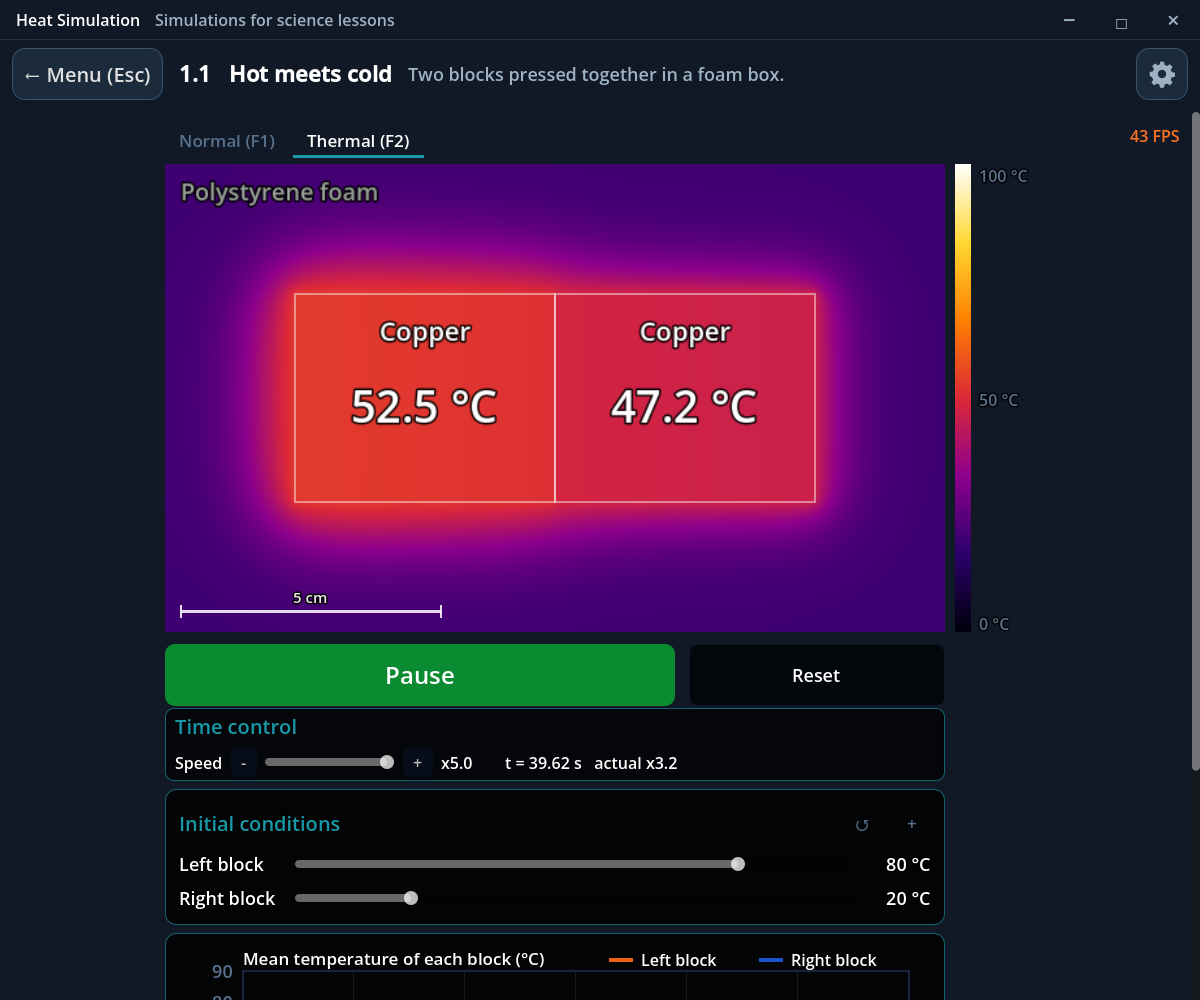
Two blocks at different temperatures touch inside an insulated enclosure. Watch the hot block cool and the cold block warm towards equilibrium.
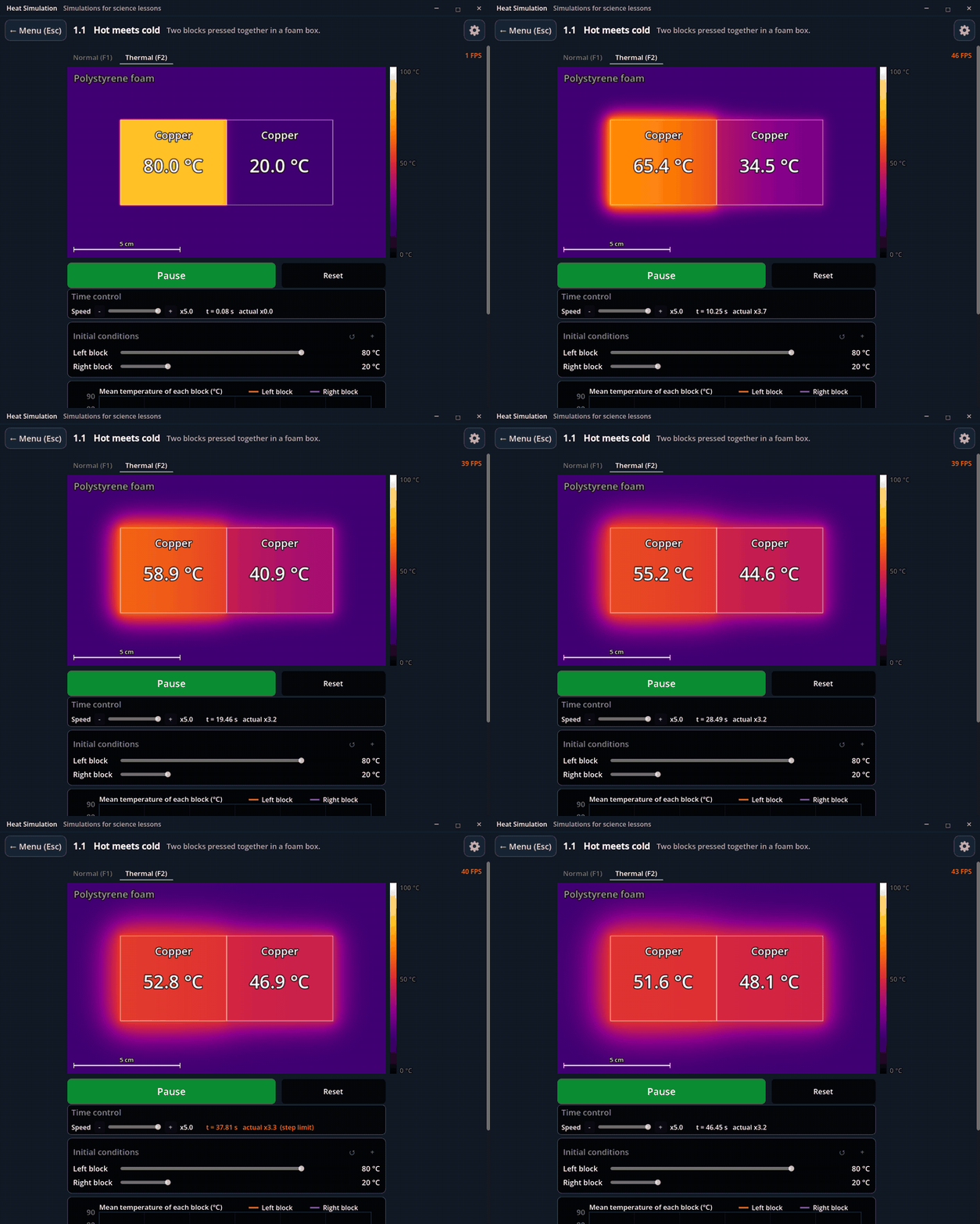
Thermal view · two copper blocks exchanging heat.
Explore: Change the starting temperatures, block materials, block length and surrounding solid. Follow both mean temperatures and their graph.
2.3 — Conductors and insulators
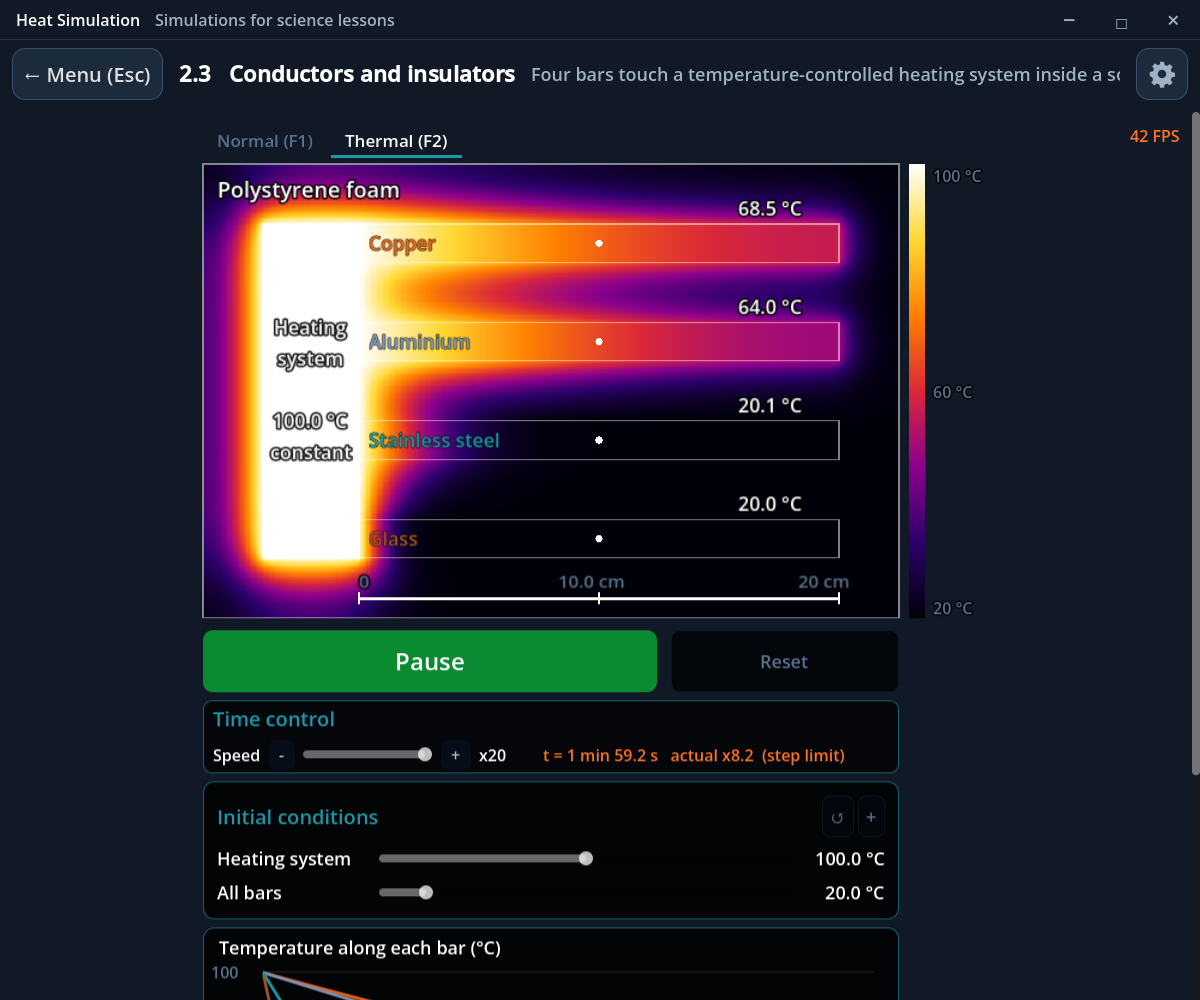
Copper, aluminium, stainless steel and glass bars touch the same heating system, held at a constant selected temperature. Compare how quickly heat travels along each bar.
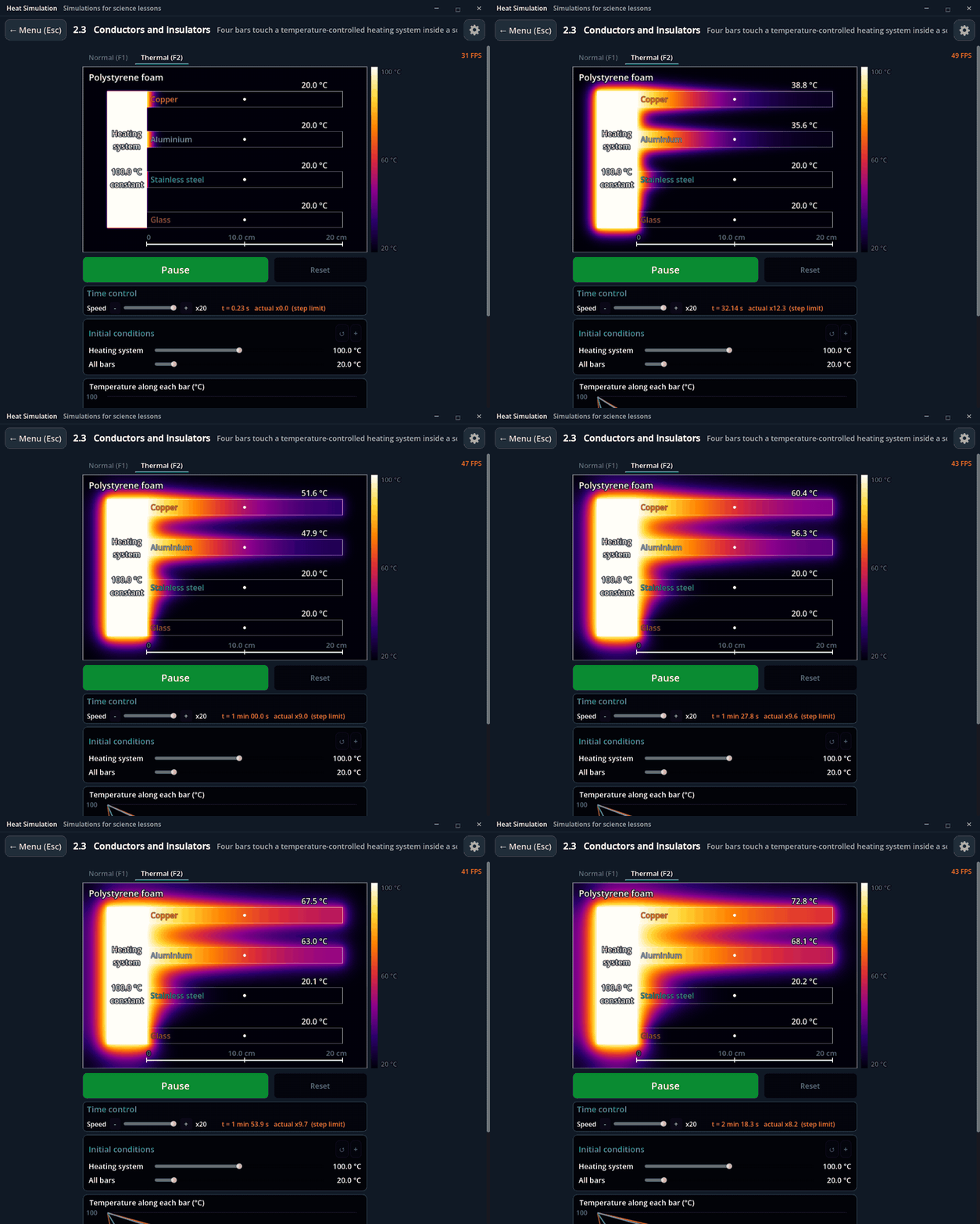
Thermal view · four materials under the same heating conditions.
Explore: Change the materials, length, thickness, starting temperatures and surrounding insulator. Compare the temperature profiles while the heating system stays regulated.
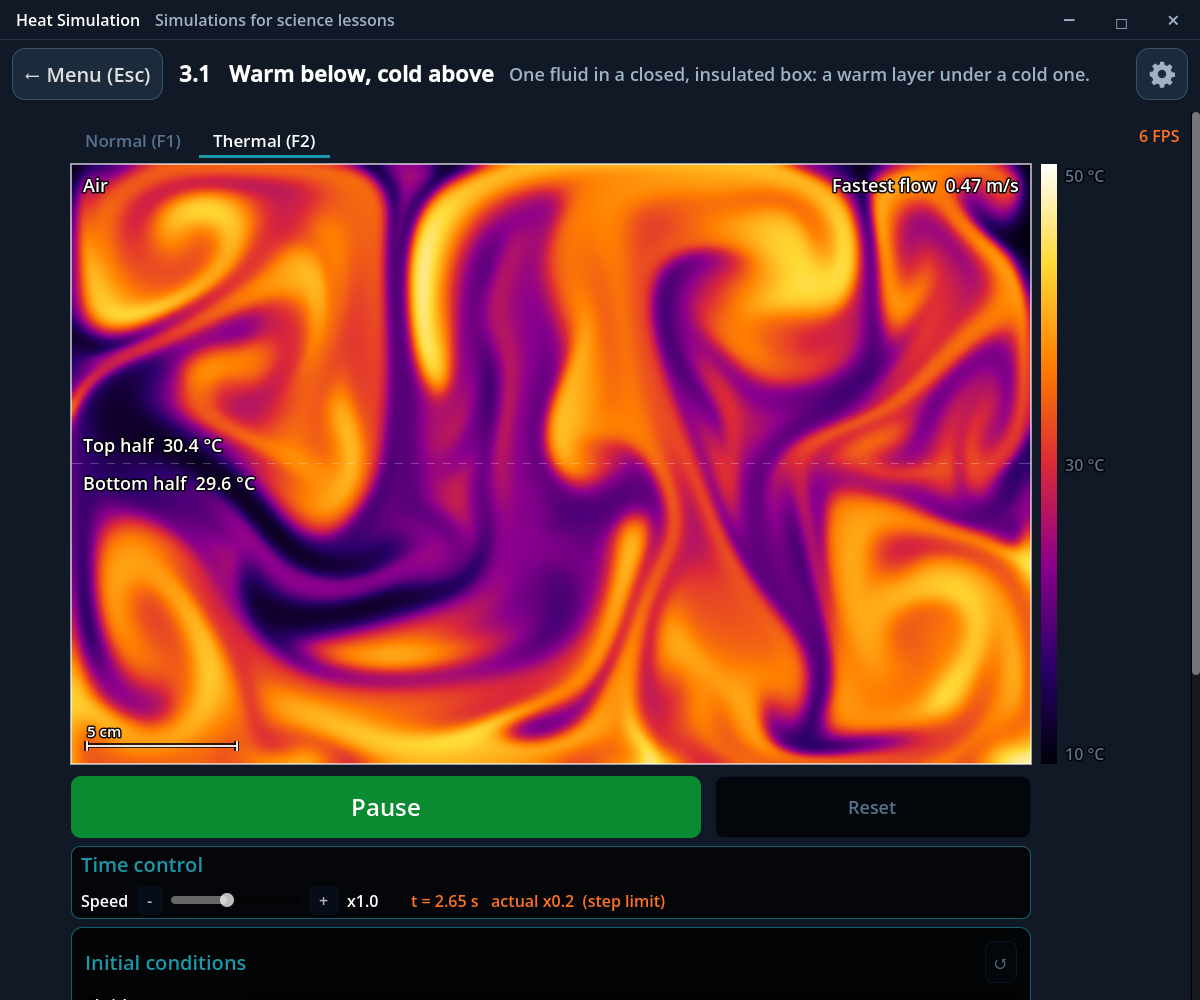
3.1 — Warm below, cold above
A warm layer below a cold layer overturns and mixes in a closed, insulated box. Watch rising warm plumes and sinking cold fluid exchange places.
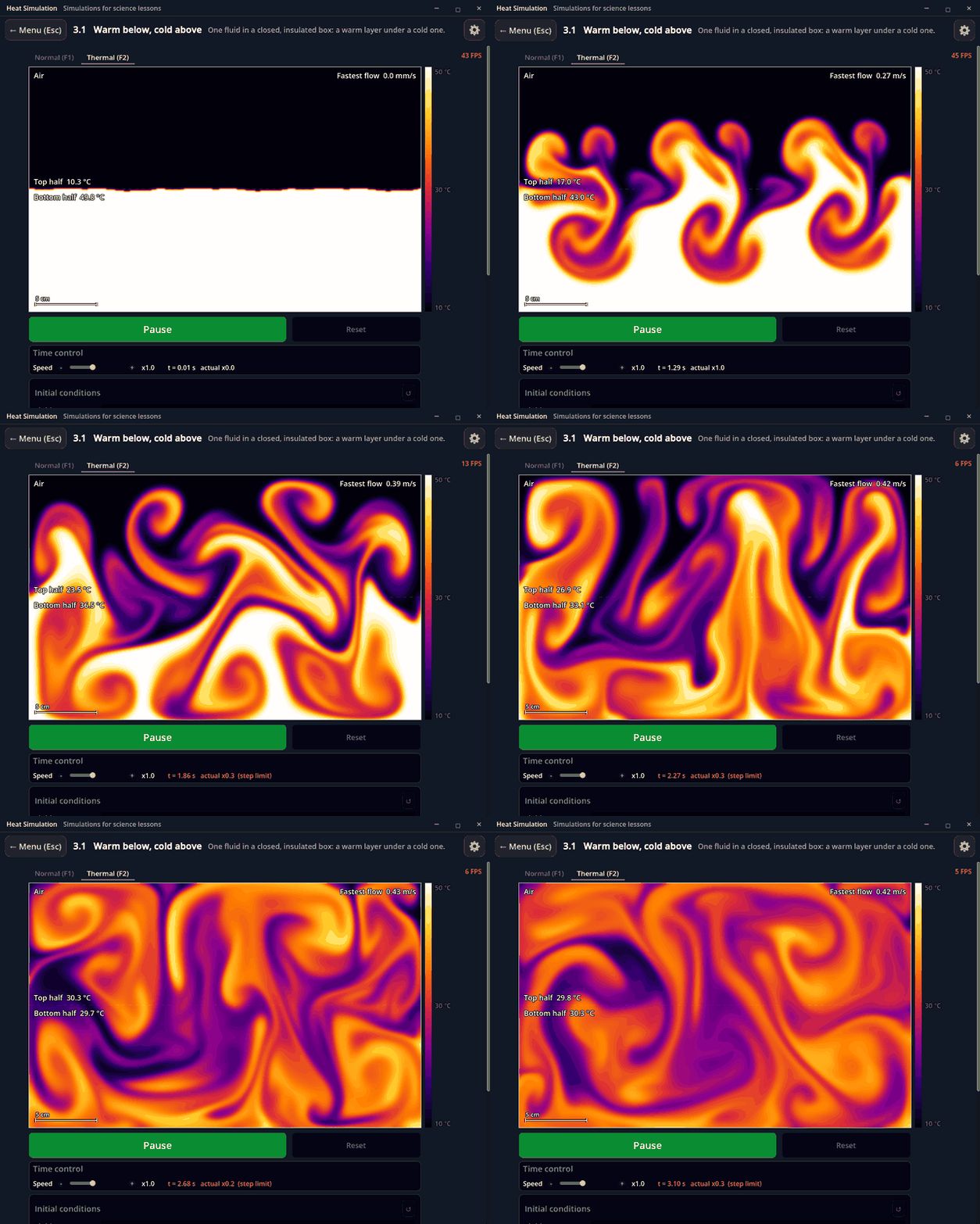
Thermal view · air initially at 50 °C below and 10 °C above.
Explore: Choose air, water or olive oil and set the two starting temperatures. Normal view shows tracer motion; Thermal view shows only temperature. A graph follows the two halves’ mean temperatures.
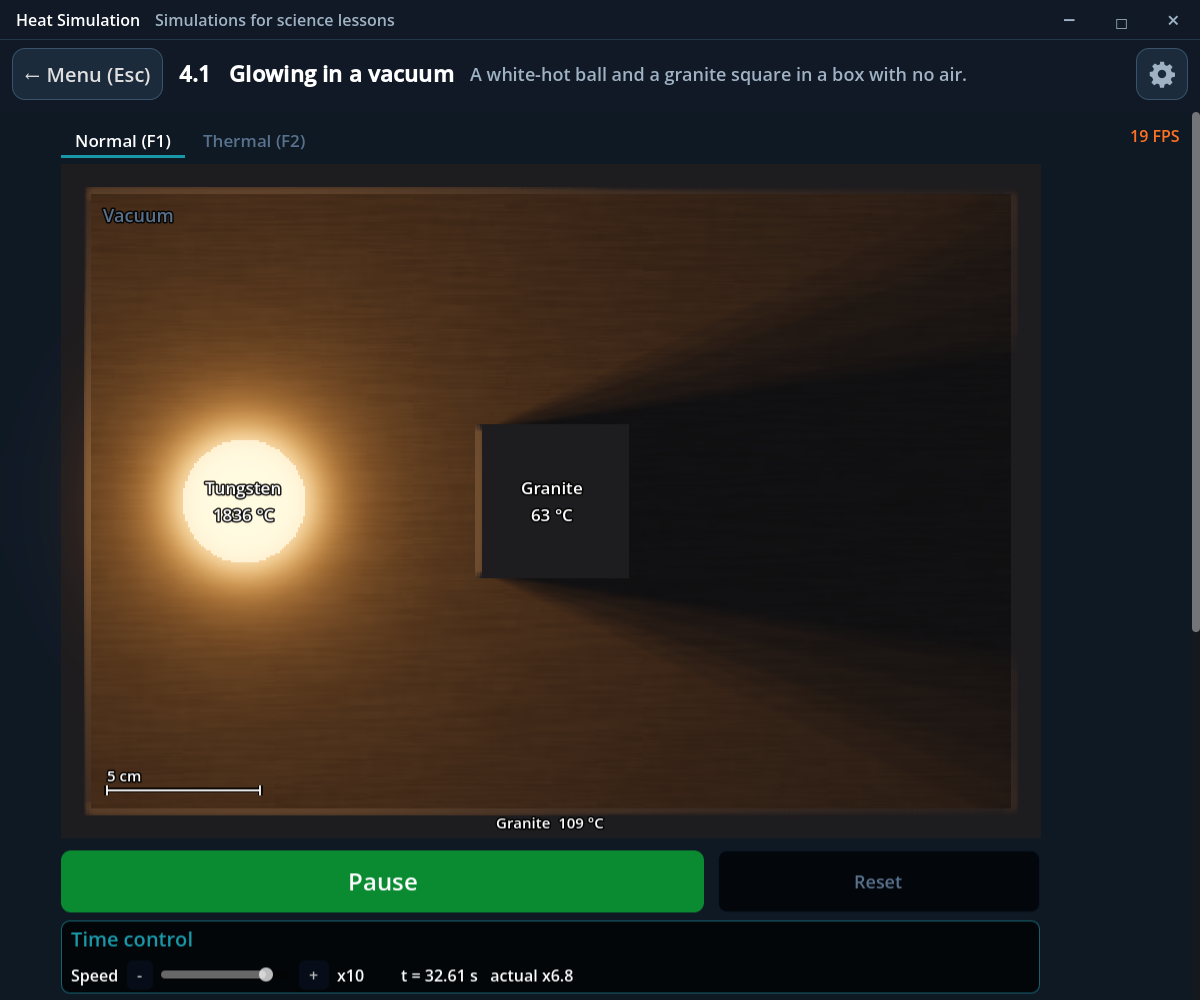
4.1 — Glowing in a vacuum
A hot ball, a square and an enclosing box exchange radiation without touching, with no air between them. Watch the ball cool and the other surfaces warm.
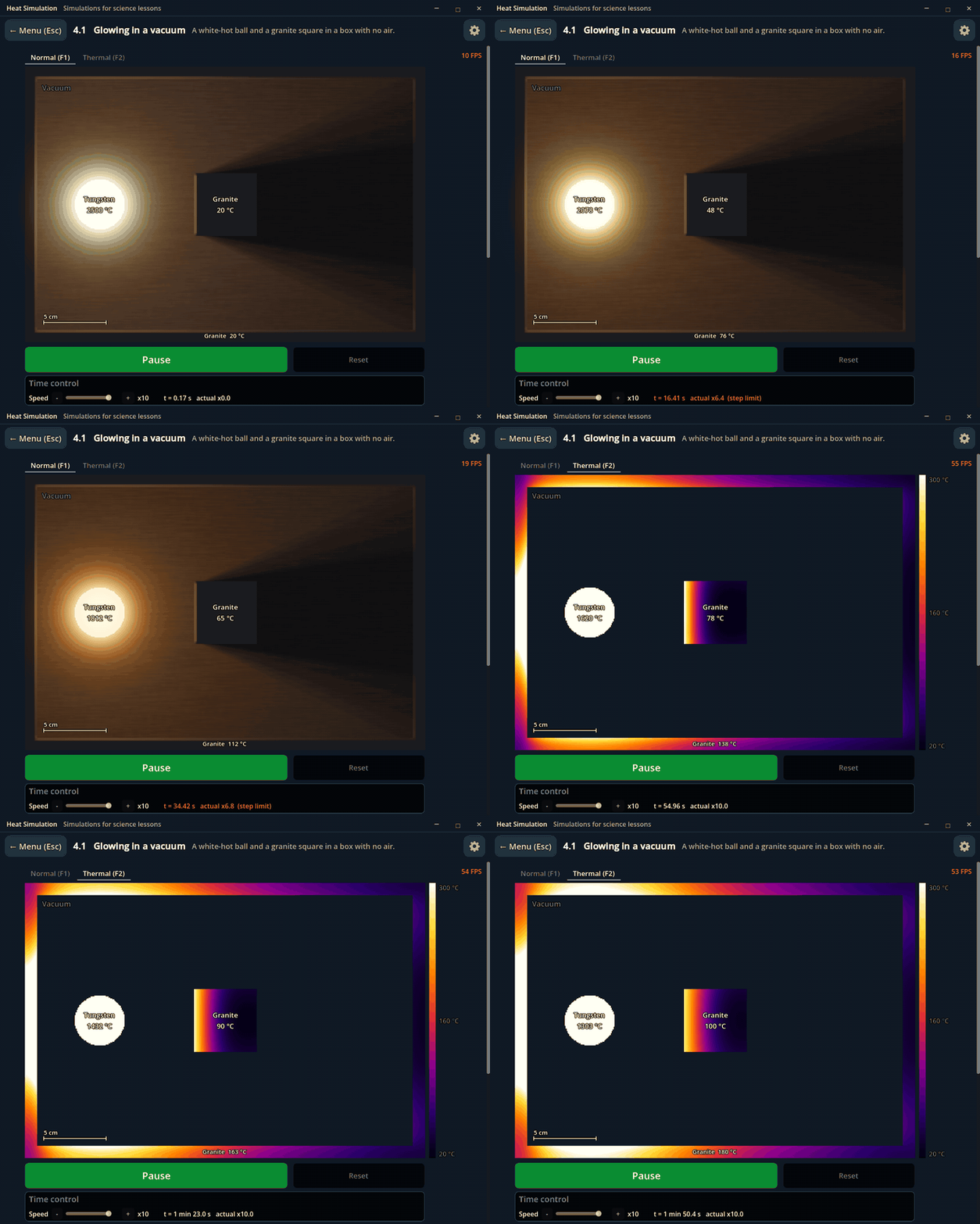
Normal, then Thermal view · a hot tungsten ball in a granite enclosure.
Explore: Change the materials and ball temperature. Normal view shows visible incandescence only when an object is hot enough to glow; Thermal view reveals temperature and shielding. Reflective surfaces redistribute radiation.
5.6 — A heated house
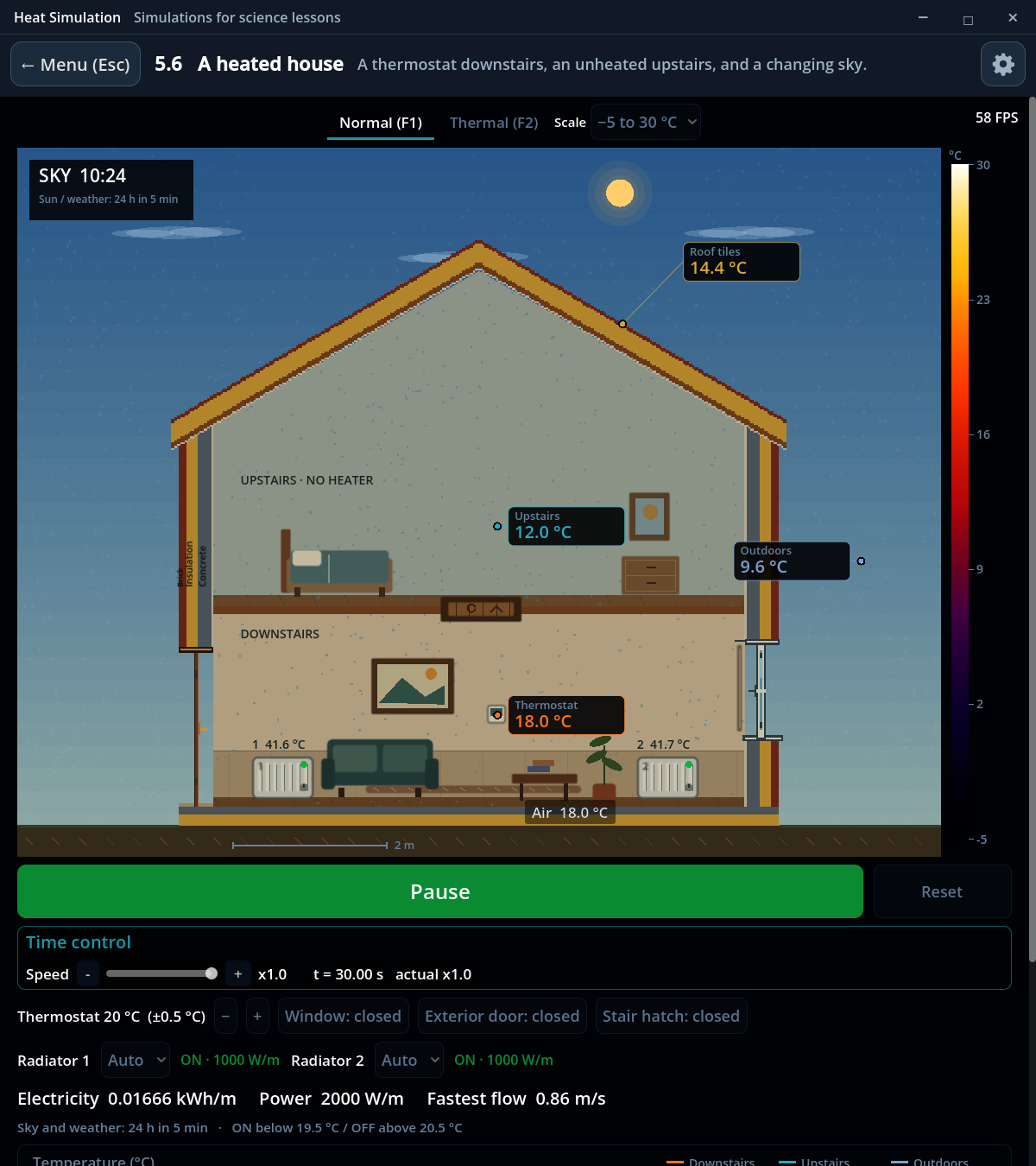
Explore a two-storey house with layered walls and roof, two downstairs radiators, a thermostat and an unheated upstairs. Conduction, convection and radiation work together.
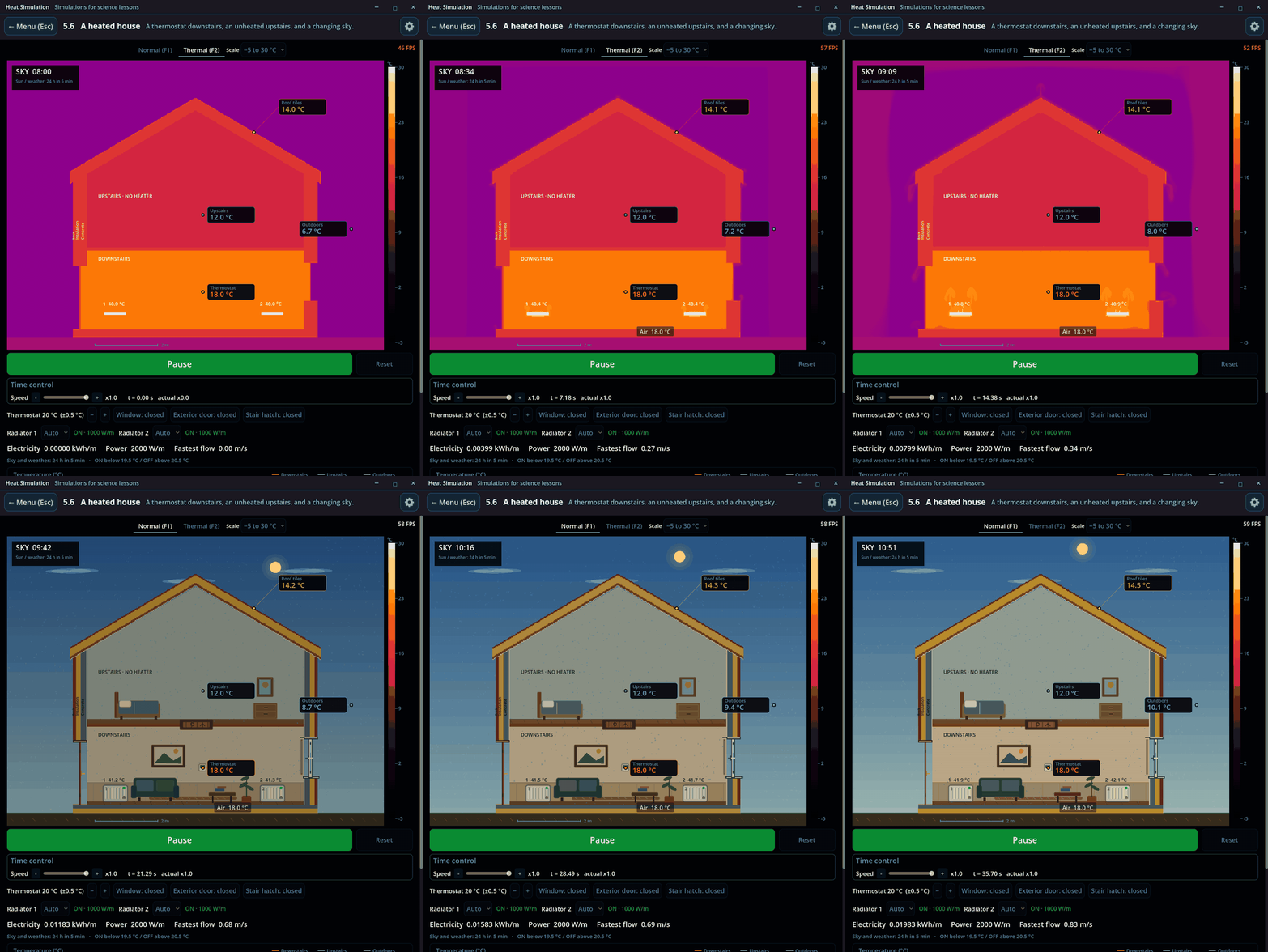
Thermal, then Normal view · 36 seconds of recording condensed into 12 seconds. The physical simulation remains at x1; only the sky and weather cycle compresses 24 hours into five minutes.
Explore: Open the window, exterior door or stair hatch; change the thermostat and control the two radiators independently. Follow temperature probes, room-temperature graphs and electricity use.
Downloads and requirements
- Windows 64-bit: recommended for classroom use. Extract the ZIP and run HeatSimulation.exe. Requires a Vulkan-compatible GPU and driver.
Work in progress
The five experiments above are available now. Heat Simulation is in active development; scenes marked Coming Soon describe planned additions.
Download
Click download now to get access to the following files:
Development log
Leave a comment
Log in with itch.io to leave a comment.